Compress Image to 400KB Online Free – No Upload
Reduce any photo, JPG or document scan to exactly 400KB in your browser. No files leave your device, no signup needed. Works on mobile.
Open Compress Tool🔒 The tool for this page — pick a file and download
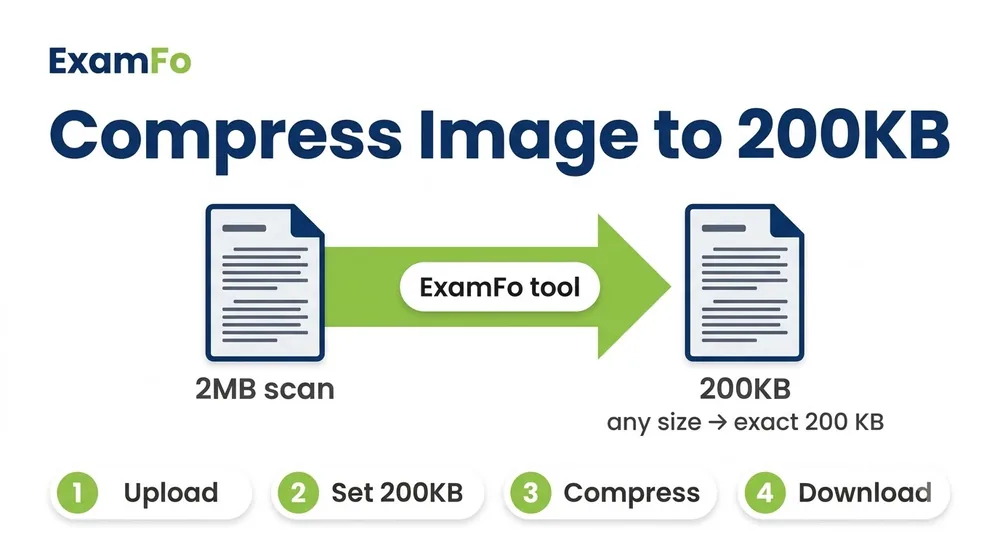

How a large scan is compressed to 400 KB while staying readable.
What is ExamFo's 400KB Image Compressor?
400KB is a roomy limit used for certificates, mark sheets, ID scans and multi-detail documents where clarity matters more than a tiny file. ExamFo lets you compress image to 400KB right in your browser, with nothing uploaded. Because 400KB is generous, your scan keeps sharp text and true colour while still fitting the upload cap. Set 400 as the target, check the live preview, and compress JPG to 400KB in one step before you submit.
This image compressor to 400kb / photo compressor to 400kb reduces large photos and document scans to 400kb online.
Open Compress ToolHow to Compress Image to 400KB Step by Step
- Open the tool: Click Open Compress Tool (runs in your browser).
- Set target size: Type 400 KB as your maximum file size.
- Pick your image: Select a JPG, JPEG or PNG from your device. It stays local, nothing is uploaded.
- Check the preview: Confirm the text or face is still clear at 400KB.
- Download: Once the size shows 400 KB or just below, download the compressed file.
Specifications for 400KB Image Compression
| Parameter | Details |
|---|---|
| Target file size | 400 KB (kilobytes) |
| Supported input formats | JPG, JPEG, PNG |
| Recommended output | JPEG (JPG) |
| Typical use | Document scans, marksheets, larger photos, declarations |
| Max input size | No practical limit; large files are compressed locally |
| Watermark | None |
| Privacy | 100% client-side; no file leaves your device |
⚠️ Important: Always verify the exact size and format from your official exam notification. Some forms cap uploads at 400KB, others use 100KB or 50KB.
Why ExamFo for Compressing Images to 400KB
100% In-Browser, No Upload
Your documents and photos never leave your device.
Exact KB Targeting
Set 400KB, 100KB or 50KB and get a precise result.
Keeps Detail Readable
400KB leaves room for clear text on scans and marksheets.
Batch up to 20 Files
Compress several scans or photos in one go.
JPG, PNG or WebP
Choose the output format your form accepts.
Free & No Watermark
No charges and no marks on the downloaded file.
Common Problems When Uploading to 400KB Forms
- A scanned marksheet or certificate is 500KB to 2MB and must fit within 400KB.
- A combined photo-and-signature sheet crosses the cap after scanning.
- The document is clear at 400KB, but the portal rejects anything over 400KB.
- Colour scans are much heavier than plain black-and-white text pages.
- Reducing too far makes seals, stamps or small print blurry.
- A phone-camera scan carries extra data that inflates the file.
Related Tools for Exam Form Photo & Signature
Frequently Asked Questions
How do I compress an image to 400KB online free?
Open ExamFo's Compress Tool, set the target to 400KB, select your JPG or PNG, and download. Everything runs in your browser with no upload.
Can I compress a document scan to 400KB?
Yes. The tool works well for marksheets, certificates and declarations, keeping the text readable while bringing the file under 400KB.
Does the 400KB compressor work on mobile?
Yes, it runs on Android and iOS browsers. Pick a file from your gallery or a scan, set 400KB, and download.
Is it safe to compress without uploading?
Completely safe. The compression happens on your device and no file is sent to any server.
What format should I use for a 400KB upload?
JPEG (JPG) is the safest and compresses smallest. The tool can also output PNG or WebP if your form asks for it.
My scan is still above 400KB, what do I do?
Lower the quality slider a little more, or scan in black-and-white for text documents. The live size updates as you adjust.
Can I compress several files to 400KB together?
Yes, you can add up to 20 files and apply the same 400KB target to all of them at once.
Does the tool add a watermark?
No, ExamFo never adds a watermark. Your compressed file downloads clean.
How to compress image to 400kb without losing quality?
400KB is generous, so text and faces stay clear. Set 400KB as the target and the tool keeps the highest quality that fits.
Can I compress image to 400kb online on mobile?
Yes, it works in any mobile browser — pick the file, set 400KB and download.
Ready to Compress Your Image to 400KB?
Open Compress ToolCompress & resize to an exact KB
You may also need Photo Resizer in KB, Resize Photo for Exam Form, Image Converter.